이번에는 https로 만들어보자
일단 똑같이 인스턴스 하나 생성하고
ssh로 접속
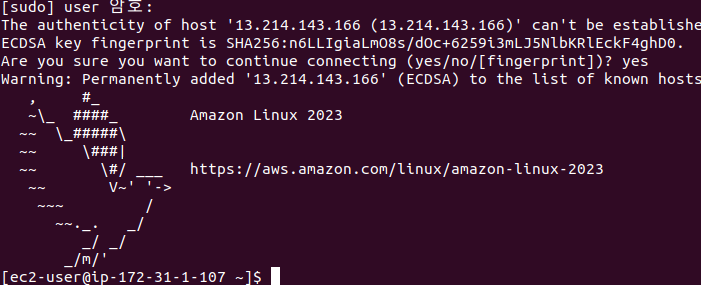
sudo yum install mod_ssl : 웹서버에 ssl 모듈 추가 설치
openssl genrsa -out private.key 2048 : 개인키 생성
openssl req -new -key private.key -out cert.csr : CSR(서명 요구서 생성)
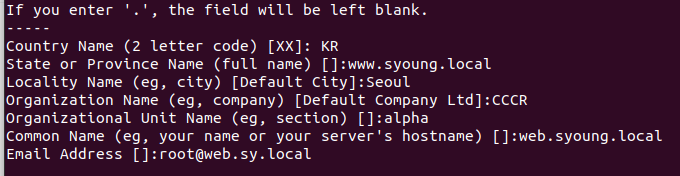
openssl x509 -req -signkey private.key -in cert.csr -out cert.crt : 인증서 생성
sudo mv ~/private.key /etc/pki/tls/private/private.key
sudo mv ~/cert.crt /etc/pki/tls/certs/certs.crt
sudo vim /etc/httpd/conf.d/ssl.conf : 해당 파일에 인증 관련 설정이 되어 있음 >> 설정 변경
이렇게 설정함

sudo systemctl restart httpd : 시스템 재시작
ss -antp : 열린포트 확인
이제 인스턴스 중지 시키고 이미지를 찍는다
이미지 생성했으면 시작템플릿 >> 템플릿 생성

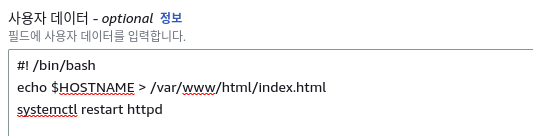
새 로드 밸런서에 연결
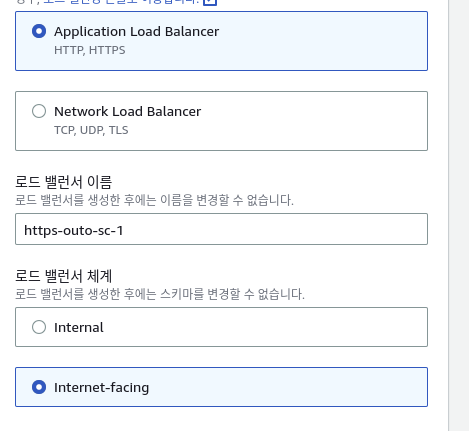
크기 조정 정책

생성했으면 로드밸런서랑 대상그룹을 확인
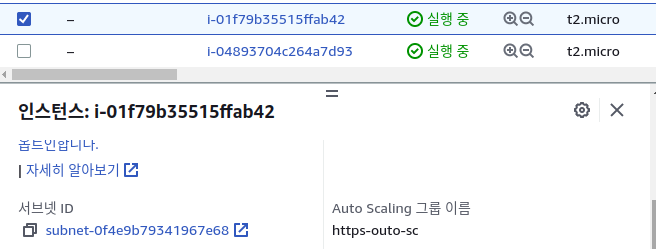
인스턴스도 생성된것 확인
https://ap-southeast-1.console.aws.amazon.com/acm/home?region=ap-southeast-1#/certificates/import
https://ap-southeast-1.console.aws.amazon.com/acm/home?region=ap-southeast-1#/certificates/import
ap-southeast-1.console.aws.amazon.com
여기들어가서 인증서 가져오기
ssh 설정
'aws실습' 카테고리의 다른 글
| 클라우드 컴퓨팅(로드밸런싱) (0) | 2023.06.23 |
|---|---|
| 클라우드 컴퓨팅(데이터베이스 서버) (0) | 2023.06.22 |
| 클라우드 컴퓨팅(VPC) (0) | 2023.06.22 |
| 클라우트 컴퓨팅(네트워크) (0) | 2023.06.21 |
| 클라우드 컴퓨팅(스토리지) (0) | 2023.06.20 |


